







So you've heard about Meshtastic and you want in. Off-grid messaging, no monthly fees, no cellular coverage needed — just small radios talking to each other over kilometres. Sounds great. But where do you actually start?
This guide walks you through everything from opening the box to sending your first message. No prior experience needed. We'll keep it practical and jargon-free.
What Is Meshtastic? (The 30-Second Version)
Meshtastic is free, open-source software that turns small LoRa radio devices into a mesh communication network. You pair a Meshtastic device with your phone via Bluetooth, and you can send text messages to anyone else on the mesh — without internet, without cellular coverage, without any subscription.
Messages hop from device to device. If you're out of direct range from someone, but there's another Meshtastic node between you, your message gets relayed automatically. The more nodes, the wider the coverage. It works in the mountains, on the water, during power outages — anywhere your phone signal doesn't reach.
In Europe, Meshtastic uses the 868 MHz frequency band (EU868), which is legal and licence-free across the EU, UK, Norway, and Switzerland.
What You Need
To get started with Meshtastic, you need exactly two things:
- A Meshtastic-compatible device — this is the radio hardware
- A smartphone — with the free Meshtastic app (Android or iOS)
That's it. No computer required for basic setup. No soldering. No coding.
Which device should I buy?
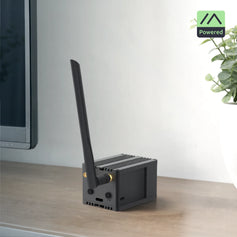
If this is your first Meshtastic device and you want the simplest possible experience, we recommend the WisMesh Pocket V2 (€99). It comes ready to use: pre-flashed with Meshtastic firmware, with a built-in battery, GPS, display, and enclosure. Screw on the antenna, charge it, and you're done.
If you're on a tighter budget, the WisBlock Meshtastic Starter Kit (from €27.99) is the most affordable entry point. It's also pre-flashed with Meshtastic firmware, but comes as a bare board without a battery or enclosure — you'll need to add those yourself.
There's also the WisMesh RAK3312 Starter Kit (from €28.75), which uses the newer ESP32-S3 core module and adds WiFi support — useful if you want to use your node as an MQTT gateway later.
Step 1: Unbox and Assemble
If you have a WisMesh Pocket V2:
- Take the device out of the box.
- Screw the included LoRa antenna onto the SMA connector on top of the enclosure. Important: never power on a LoRa device without an antenna connected — this can damage the radio chip.
- Flip the power switch to ON.
- The OLED display should light up and show "Meshtastic" followed by your node information. If nothing happens, charge the device first via USB-C for 30 minutes.
That's it. Your device is ready to pair.
If you have a WisBlock Starter Kit:
- Connect the included antenna to the IPEX connector on the core module. Be gentle — IPEX connectors are small and delicate.
- Connect a compatible Li-Po battery to the JST connector on the base board (battery not included — any 3.7V Li-Po with a 2-pin JST PH connector works).
- The board should power on automatically. If you have an OLED module connected, you'll see the Meshtastic boot screen.
Step 2: Install the Meshtastic App
Download the official Meshtastic app on your phone:
- Android: Search "Meshtastic" in the Google Play Store
- iOS: Search "Meshtastic" in the Apple App Store
The app is free with no ads and no in-app purchases. It's developed by the Meshtastic open-source community.
Step 3: Pair Your Device via Bluetooth
- Open the Meshtastic app on your phone.
- Make sure Bluetooth is enabled on your phone.
- Tap the "+" button or "Connect to radio" in the app.
- Your device should appear in the list (it will show as "Meshtastic_XXXX" where XXXX is a random identifier). Tap it to connect.
- The app may ask for a pairing code. On most devices, the default is 123456. You can change this later in the settings.
- Once connected, the app will display your node name, battery level, and any other nodes it can see on the mesh.
Tip: If your device doesn't appear in the Bluetooth list, try turning the device off and on again. Also make sure you're within a few metres of the device during initial pairing.
Step 4: Set Your Region to EU868
This is the most important configuration step. Your device must be set to the correct frequency region for legal operation in your country.
- In the Meshtastic app, go to Settings → LoRa.
- Set Region to EU_868.
- Tap Save.
All RAKwireless devices sold by Hexaspot ship pre-configured for EU868, so this should already be set correctly. But it's worth verifying.
Why this matters: Using the wrong frequency is illegal and will prevent you from communicating with other European Meshtastic users. EU868 is the standard across the EU, UK, Norway, and Switzerland. If you're in North America, you'd use US915 — but since you're reading this on a European store, EU868 is almost certainly correct for you.
Step 5: Set Your Name and Position
- In the app, go to Settings → User.
- Set your Long Name (e.g., "Jan's Node") and Short Name (e.g., "JAN"). The short name is what appears on other people's device screens.
- If your device has GPS (like the WisMesh Pocket V2 or WisMesh Tag), your position will be shared automatically. If your device doesn't have GPS (like the WisBlock Starter Kit without a GPS module), you can set a fixed position manually under Settings → Position.
Step 6: Send Your First Message
Open the Messages tab in the app. You'll see a channel called "LongFast" — this is the default public channel that all Meshtastic devices share out of the box.
- Tap on the LongFast channel.
- Type a message.
- Tap Send.
Your message is now being broadcast on the mesh. Any Meshtastic device within range (or reachable via relayed hops) running on the same channel and frequency will receive it.
Don't see any other nodes? That's normal if you're the only Meshtastic user in your area. The mesh works when there are other nodes around. Here's how to find or create mesh activity:
- Buy a second device and give it to a friend or family member — you now have a two-person mesh. The WisBlock Starter Kit (from €27.99) is an affordable second node.
- Join the Hexaspot Discord or search for local Meshtastic groups to connect with nearby users.
Bonus: Quick Wins to Improve Your Experience
Upgrade your antenna
The single best improvement you can make. The stock antennas on most devices are basic. Replacing it with a tuned 2.6 dBi EU868 antenna (€9.95) immediately improves your range. For a stationary home node, consider a McGill outdoor antenna mounted as high as possible.
Read our full guide: Maximise Your Meshtastic Range: The Complete EU868 Antenna Guide.
Add a repeater to extend coverage
A WisMesh Repeater Mini (€107) on your roof with a good antenna extends your mesh coverage dramatically. It runs on solar power and works autonomously — just configure it once and forget about it. Note: to connect a tuned antenna to the Repeater Mini, you'll need an N-Female to SMA-RP-Male adapter (€9.98).
Explore the settings
The default "LongFast" preset is a good starting point, but you can tune the LoRa settings for your needs. Shorter range presets ("MediumFast", "ShortFast") allow faster messaging in dense areas. Longer range presets ("VeryLongSlow") squeeze out maximum distance at the cost of speed. Experiment and see what works for your area.
Try MeshCore
Once you're comfortable with Meshtastic, consider exploring MeshCore — an alternative firmware that runs on the same hardware. Especially in the Netherlands, the MeshCore community is growing rapidly with hundreds of repeaters already deployed. Read our comparison: Meshtastic vs MeshCore Explained.
Troubleshooting Common Issues
"My device won't connect to the app"
- Make sure Bluetooth is enabled on your phone.
- Try toggling your device off and on.
- If you're on iOS, you may need to grant Bluetooth permissions to the Meshtastic app in Settings.
- Make sure you're within a few metres of the device during initial pairing.
"I can't see any other nodes"
- Check that your region is set to EU_868.
- Make sure the default channel "LongFast" is configured (it should be by default).
- You may simply be the first Meshtastic user in your area. Try giving a second device to a friend or ask in the Hexaspot Discord if there are nodes nearby.
"My messages aren't being delivered"
- The recipient must be on the same channel with the same encryption key.
- Check your antenna connection — a loose or missing antenna drastically reduces range.
- Try moving to a location with better line of sight (higher ground, near a window).
"My device battery drains quickly"
- The RAK4631-based devices (WisMesh Pocket V2, WisMesh Tag, WisBlock Starter Kit) use the power-efficient nRF52 chip and should last multiple days. If yours drains fast, check that power saving mode is enabled in the Meshtastic settings (Settings → Power).
- The RAK3312-based kit uses the ESP32-S3 chip, which consumes more power due to WiFi support. Disable WiFi when not needed to extend battery life.
- Reduce the display timeout to save power on devices with screens.
What's Next?
Once you've sent your first message, you'll probably want to:
- Find local mesh users — Join the Hexaspot Discord or search for Meshtastic groups in your country.
- Upgrade your antenna — The biggest range improvement for the least money. See our full antenna range.
- Deploy a repeater — Extend coverage for yourself and your entire local mesh community with the WisMesh Repeater Mini.
- Create private channels — Set up encrypted channels for your family, hiking group, or organisation.
- Explore sensors — Add environmental monitoring to your WisBlock node with WisBlock sensor modules (temperature, humidity, barometric pressure).
Welcome to the mesh. Happy meshing!
Browse all Meshtastic products at Hexaspot →
Hexaspot is an authorised RAKwireless dealer based in the Netherlands. We ship across the EU and Norway with same-day dispatch on weekday orders before 14:00. All devices ship pre-flashed with Meshtastic firmware and configured for EU868. Need help? Contact us at support@hexaspot.com or call +31 (0)85 200 6150.
Last updated: March 2026.


