



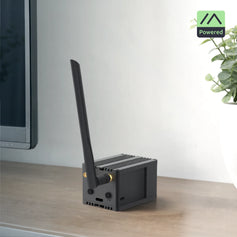


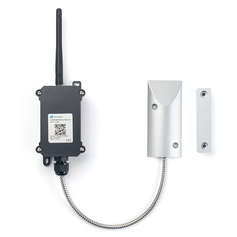


A lot of the hardware we ship ends up running MeshCore instead of Meshtastic. The devices are the same, a Heltec V3, a WisBlock RAK4631, a WisMesh Pocket, but the firmware changes how the whole network behaves. The biggest difference shows up in one place: roles. Where Meshtastic lets every node relay traffic and gives you a dropdown of behaviors to tune, MeshCore makes the decision up front. You flash a device as one of three things, and that choice defines its job for good.
If you're coming from Meshtastic, our node roles guide covers that side. For the bigger picture of why the two projects differ, see Meshtastic vs MeshCore Explained. This guide is about MeshCore's three roles and how to pick between them.
The idea behind MeshCore's roles
In Meshtastic, ordinary nodes also help relay messages, which is why role choice there is mostly about limiting who relays. MeshCore flips this around. Only repeaters relay traffic. Everyone else just sends and receives. The result is a network with a clear backbone of deliberately placed infrastructure nodes, and far less competing rebroadcast traffic on the shared frequency.
You choose the role when you flash the firmware, using the MeshCore web flasher: select your board, then pick the Companion, Repeater, or Room Server variant. Changing role later means flashing again.
Companion: your personal device
A Companion is the radio you carry. It pairs with the MeshCore app on your phone over Bluetooth and handles your messages, contacts, and channels. It does not repeat anyone else's messages, and that is intentional: it keeps personal devices from flooding the network.
This is the right firmware for a pocket node, a handheld, or a tracker. If you have just bought your first MeshCore device and you want to chat, flash Companion. You need at least one repeater within reach of other users to get beyond direct radio range, but that can be someone else's.
Good matches in our range: the WisMesh Pocket V2, the WisMesh Tag, and a Heltec V3 or V4 if you want a screen on the device.
Repeater: the backbone
A Repeater is a stationary infrastructure node. It listens for traffic from companions and other repeaters and rebroadcasts it, extending coverage. It needs no phone and no user interaction, just power, an antenna, and a good location. Community guides compare repeaters to cell towers for the mesh: more repeaters in good spots means better coverage for everyone.
Two things matter far more than any setting. First is height. A repeater on a roof, mast, or hilltop will outperform a better radio at ground level every time. Second is power: repeaters run around the clock, which is why solar-powered units are popular. Our WisMesh Repeater Mini V2 is MeshCore compatible and can be reflashed in minutes, and our solar repeater installation guide covers placement and mounting, which applies equally to MeshCore.
Practical settings to get right:
- Radio settings must match the rest of the network. Use the EU868 region and the same frequency and spreading factor as the other nodes you want to reach. A mismatch means your repeater is invisible.
- Give it a unique key prefix. Repeaters are identified partly by a short prefix, and two repeaters sharing one can break routing. Check which repeaters already exist nearby before choosing.
- Set a descriptive name, such as a location plus "RPT", so others can recognize it.
- Enable GPS if the device has it, so the repeater shows up on community maps.
- Match the antenna gain setting to your actual antenna.
When not to deploy one: if you're the only MeshCore user in your area, if you can't get any elevation, or if good repeater coverage already exists. Another repeater at a poor location adds little. Start with a companion and see what you can already reach.
Room Server: the bulletin board
A repeater relays messages in real time and forgets them. If the recipient isn't listening at that moment, the message is gone. A Room Server solves that. It stores messages and delivers them to members who come online later, like a bulletin board that works without internet.
This suits groups that are not all active at the same time: a volunteer team with different shifts, event organizers posting updates through the day, a farm or estate where people check in whenever they're near a node. As a rule of thumb from community guides, a room server starts paying off once you have a handful of regular users. With just two people, direct messages are enough.
How it works in practice:
- Access is protected by password tiers: an admin password for managing the room, a guest password for members who can read and post, or no password for a read-only public board.
- Members find the room server in the app, join with the guest password, and see messages posted while they were away.
- It should be always on, so give it reliable power and a central location.
- Radio settings must match the network, like any other node.
- Community guides note that stored messages live in memory, so a power loss clears them. Plan for stable power or a battery backup.
You can run several room servers, each independent, for example one for general chat and one for event coordination.
Can one device do two jobs?
Not with one firmware flash. Each device runs a single role. If you want both coverage and message storage at the same location, run two devices side by side: a repeater with the external antenna mounted high, and a room server beside it, which can often use a simple antenna. For small networks, two inexpensive boards are enough.
Which role should you flash?
|
Your situation |
Flash this |
|
First device, you want to message people |
Companion |
|
Handheld, tracker, or pocket node you carry |
Companion |
|
Extending coverage from a roof, mast, or hilltop |
Repeater |
|
Solar unit left outdoors permanently |
Repeater |
|
Group needs messages kept for people who are offline |
Room Server |
A small community network usually grows in that order: a few companions, then one or two well-placed repeaters, and finally a room server once enough people want a shared message board.
Choosing hardware
Because the hardware is shared with Meshtastic, you are not locked in. The same board can be reflashed later. For companions, pick for comfort: a handheld or a board with a screen. For repeaters, pick for power efficiency and weatherproofing: a solar unit like the WisMesh Repeater Mini V2, or a WisBlock kit with a solar panel in your own enclosure. For anything outdoors, pair it with a proper tuned antenna. And if you are buying for a club, school, or organization, every product page has a Request a Quote button.


