







Most range and reliability complaints we hear aren't actually an antenna problem, they're a Role setting. Meshtastic lets every device declare how it should behave on the mesh: whether it relays other people's traffic, how eagerly it does so, and whether it prioritizes its own messages over everyone else's. Get it right and a handful of nodes cooperate cleanly. Get it wrong say, three nodes on the same street all set to Router and you can choke a mesh that would otherwise work fine.
What a role actually controls
A role isn't a power level or a hardware setting, it's a behavior profile. It decides whether a node rebroadcasts packets it overhears, how quickly it does that relative to its neighbors, and whether it prioritizes originating its own messages (like telemetry or GPS position) over relaying for others. Since every Meshtastic device shares a single radio frequency, these behavioral choices are what keep the mesh from talking over itself.
The roles almost everyone should use
Client is the default, and it's the right choice for the overwhelming majority of devices. Despite the name, Client nodes do relay messages for others, they just add a small random delay first, so two nearby clients don't rebroadcast the same packet at the exact same instant. If you're not sure what role to pick, Client is always a safe answer.
Client Mute behaves like Client but never relays anything — it only sends and receives its own traffic. This is the role to reach for if you're running several personal devices in the same area: pick one to stay on Client (or Client Base) and set the rest to Client Mute, so you're not needlessly tripling up on relay duty and eating into shared airtime.
Client Base is built for a well-positioned home node — an attic or roof unit that you want to reliably relay for your other devices. It behaves like Client, but gets priority when rebroadcasting to or from nodes you've specifically marked as "favorites." If you've got a strong node at home and a couple of portable ones, set the home unit to Client Base and favorite your other devices on it.
The infrastructure roles — powerful, and easy to misuse
This is where most of the real damage happens on community meshes, because these roles pre-empt everyone else.
Router is meant for exactly one thing: a genuinely exceptional, strategically sited, stationary device — think a repeater on an isolated mountain peak, not a rooftop in a neighborhood. Router nodes always rebroadcast, and they do it before any other role gets the chance, which makes them the preferred path for everything nearby. That's powerful when the site deserves it, and actively harmful when it doesn't: a Router in a mediocre spot burns a hop before a packet can reach a genuinely better-placed node, causes collisions when several Routers overlap, and can create one-way links where messages get out but replies can't get back.
Repeater behaves like Router in terms of pre-emption, but goes one step further and never originates its own traffic at all — no telemetry, nothing. It only exists to relay. Same rule applies: only for a location that's actually earned it.
Router Late is the newer, more forgiving infrastructure role, and it solves a real gap. It's for a site that's genuinely important for reaching a pocket of otherwise-cut-off nodes — behind a hill, at the bottom of a valley — but isn't good enough to deserve full Router status mesh-wide. Router Late behaves exactly like a normal Client by default. Only if it hears another node already rebroadcasting a packet does it defer and rebroadcast anyway, in a dedicated "late" time slot, as a backstop. It's the polite version of infrastructure: it steps in when needed but gets out of the way otherwise. It is not meant for a permanent rooftop repeater or a vehicle-mounted node — those belong on Client Base or Client.
|
Window |
Used by |
Behavior |
|
Early |
Router, Repeater, Client Base (favorites only) |
Rebroadcasts first, pre-empting everyone else |
|
Default |
Client, Client Mute (doesn't rebroadcast), Sensor, Tracker |
Normal rebroadcast timing, cancels if someone else already relayed it |
|
Late |
Router Late |
Only rebroadcasts if nobody else did first |
If you're running a Router or Repeater today and you're honestly not sure the site is exceptional, it almost certainly isn't — switch it to Router Late (if the location is genuinely needed for coverage) or Client Base (if it's just a strong home node).
Roles built for a specific job
Sensor is for devices whose main purpose is reporting environmental telemetry — a weather station, a monitoring node. It still relays for others, but it prioritizes getting its own readings out even when the channel is busy, and pairs well with power-saving mode to stretch battery life between transmissions.
Tracker does the same thing for location instead of telemetry: it prioritizes sending GPS position packets, still participates in relaying, and can sleep between fixes to extend runtime. This is the natural role for something like a WisMesh Tag or any GPS-equipped node whose job is reporting where it is, not carrying general mesh traffic.
Matching roles to what we sell
- A WisMesh Pocket, WisMesh Tag, or a Heltec board you carry around → Client, or Client Mute if it's your second or third personal device.
- A home base node on WisBlock or Heltec, mounted somewhere strong → Client Base, with your other devices favorited.
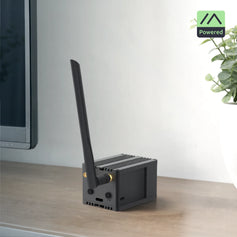
- A WisMesh Repeater Mini or SenseCAP Solar Node mounted at genuinely exceptional height with clear line-of-sight, as covered in our solar repeater installation guide → Router or Repeater, if it truly is the best-placed node for the area — Router Late if it's important locally but not that dominant.
- A GPS tracker on a vehicle, boat, or hiking bag → Tracker.
- A fixed environmental sensor node → Sensor.
The one habit worth adopting
Before setting anything to Router, Repeater, or Router Late, ask honestly whether the site is actually exceptional, not just "the highest point you own," but genuinely the best-placed node for the wider mesh. If you're unsure, start with Client or Client Base and watch your node's channel utilization stats for a while first. It's far easier to upgrade a role once real data shows a location deserves it than to untangle a mesh that three overlapping Routers have quietly been choking for weeks.


